html-iptv-player
Overview
HTML IPTV Player with EPG viewer for M3U8 playlist
https://dbghelp.github.io/player.html?file=<link to playlist.m3u8>
https://dbghelp.github.io/player.html?file=https://dbghelp.github.io/playlist.m3u8
Features
- Mouse over channel logo to view EPG for specific channel (with thumbnail images from epg.xml)
- Click on EPG button to view EPG for all channels (Traditional EPG)
- Supports different key formats (hex, base64, multiple keys)
- Supports DASH, HLS, MSS (using shaka player)
- Auto assign
tvg-idfromepg.xmltotvg-idinplaylist.m3u8(when missing)
V2 update:
- Added timeshift feature to watch previously aired TV programmes
- Added download feature to download previously aired TV programmes
- Added download feature to download future TV programmes (with cronjob/schtasks)
- Added support for compressed file formats (
.gzand.zipfiles) - Added support for local file upload
- Added error handling for malformed EPGs
Screenshots
*Channel logos used for illustration purpose only
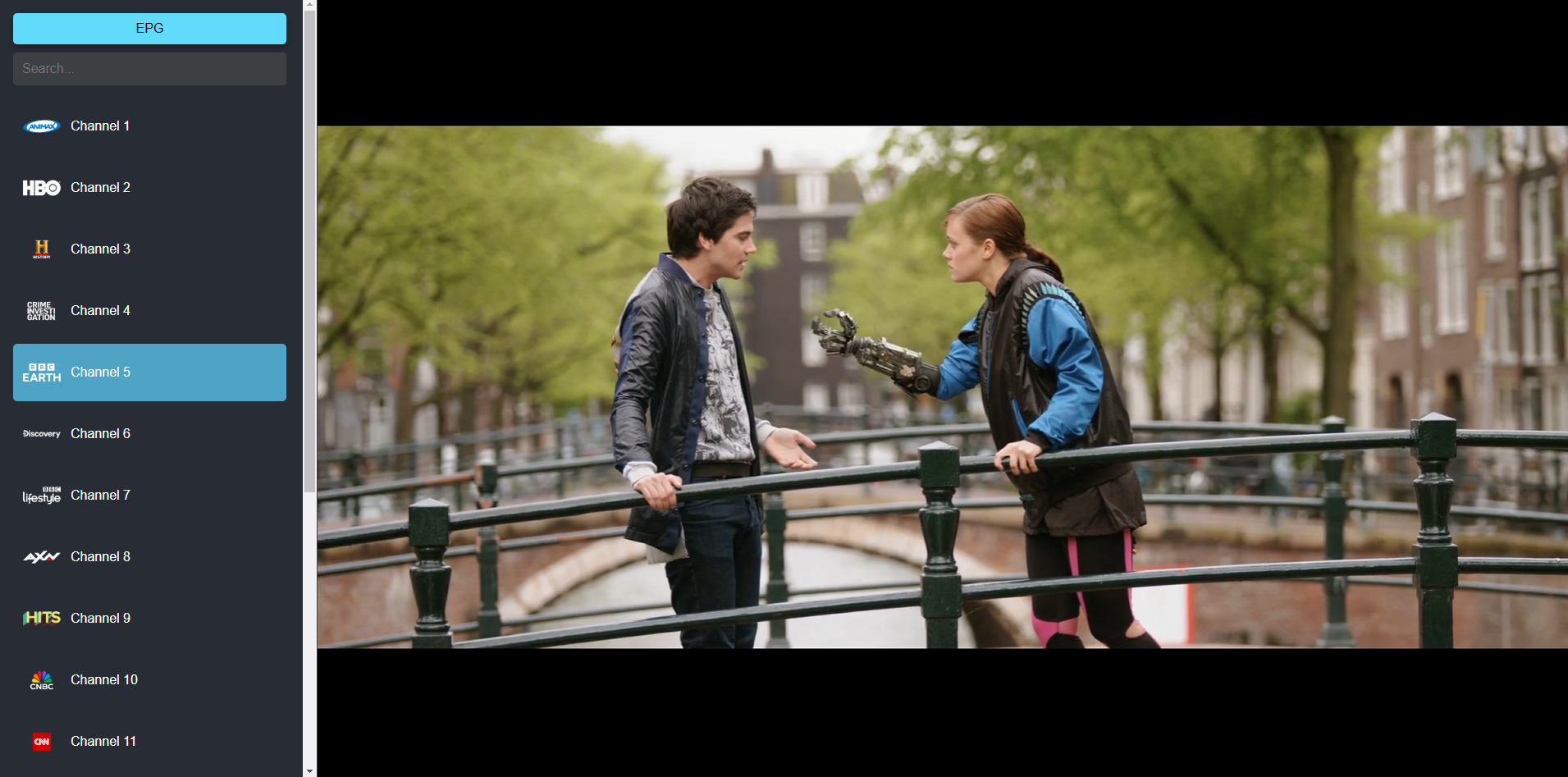
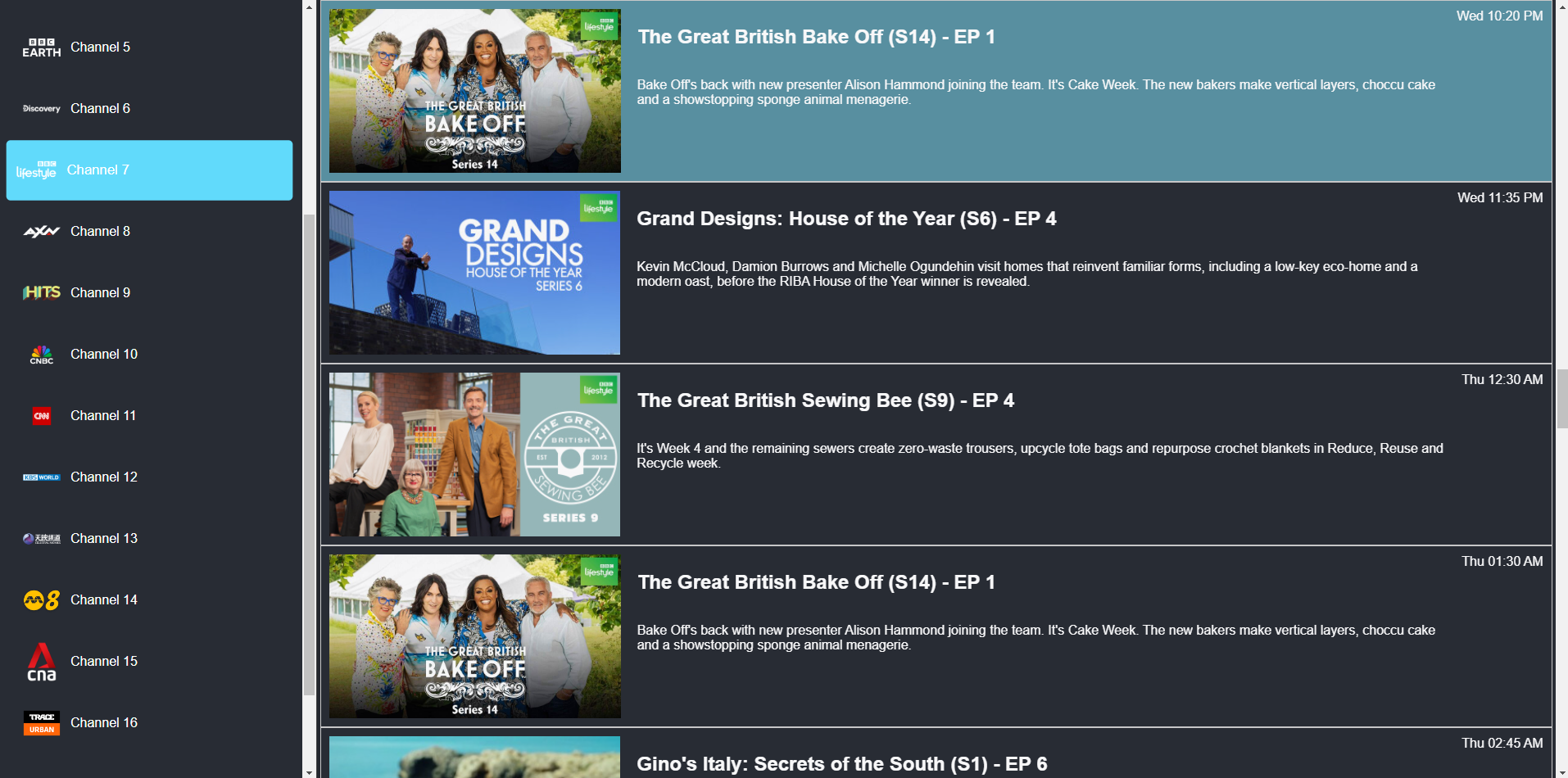
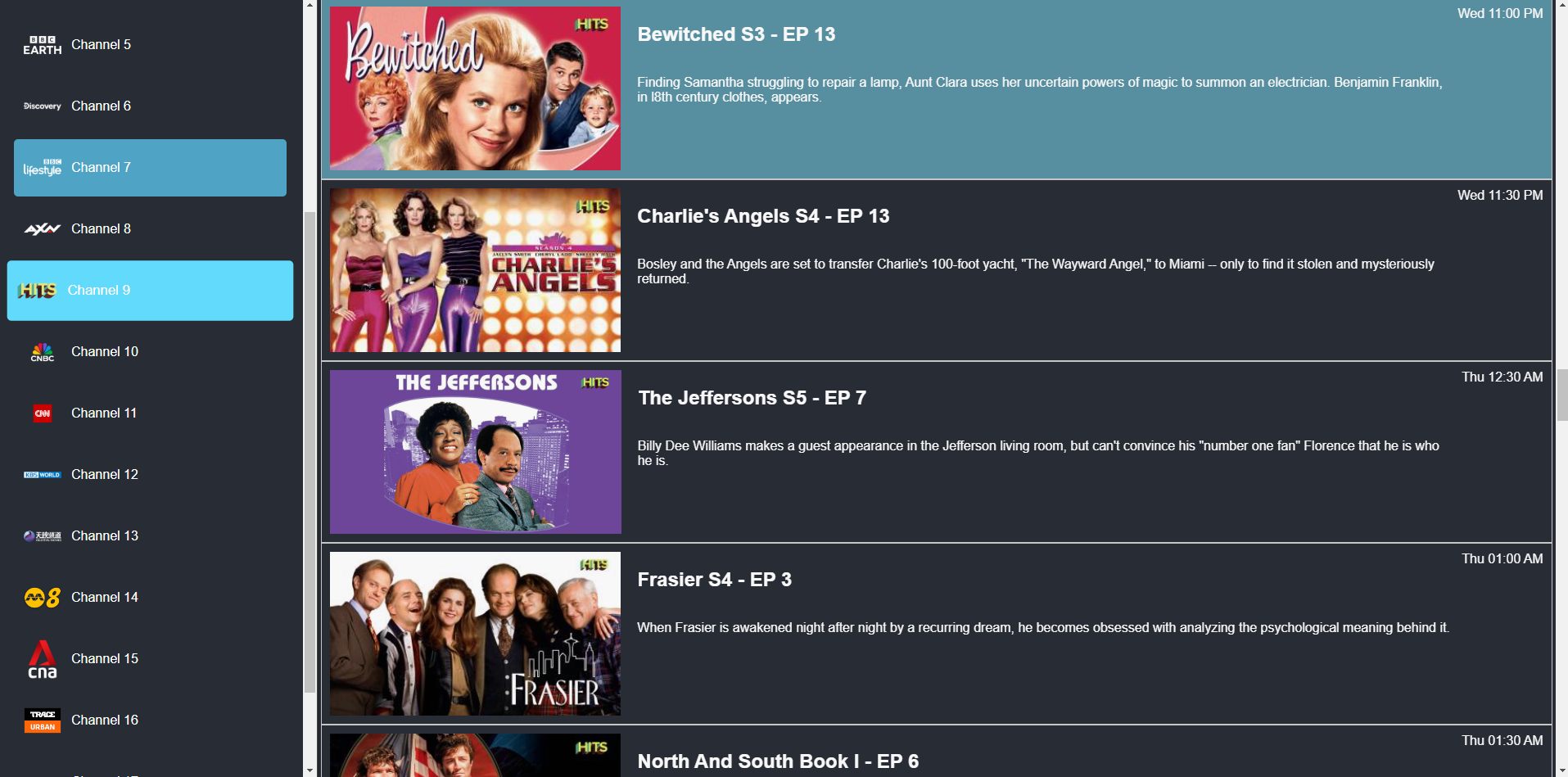
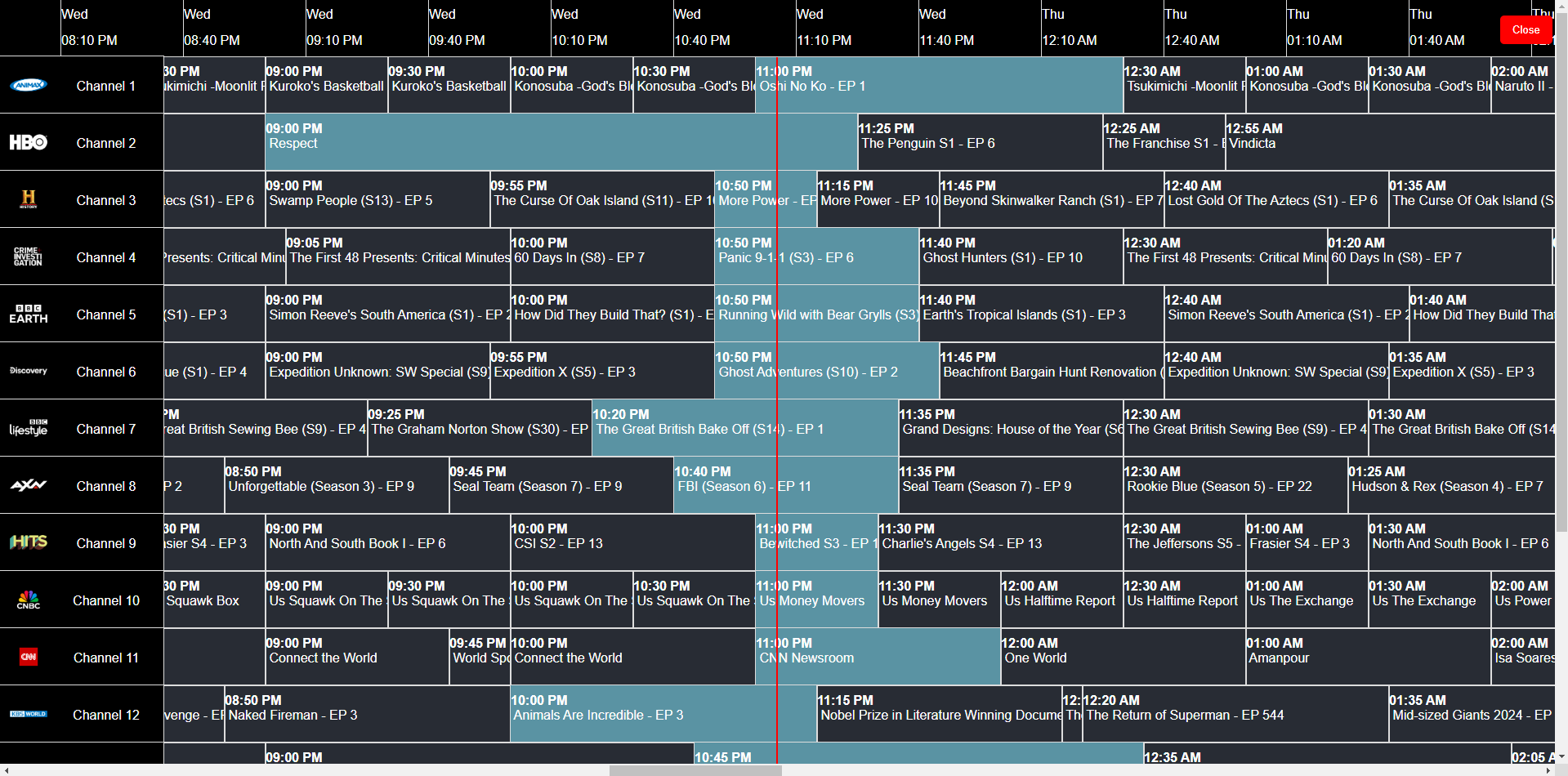
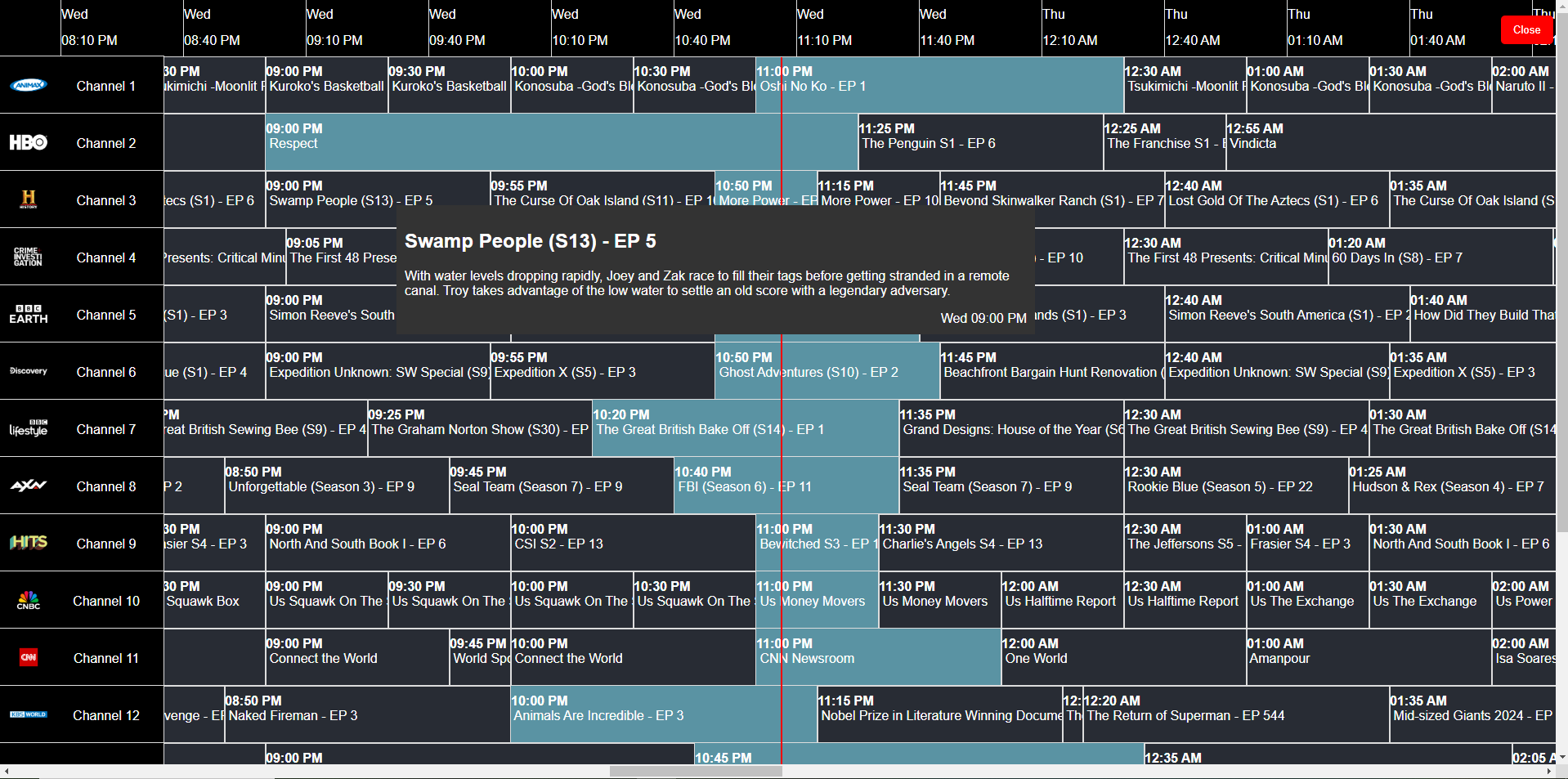
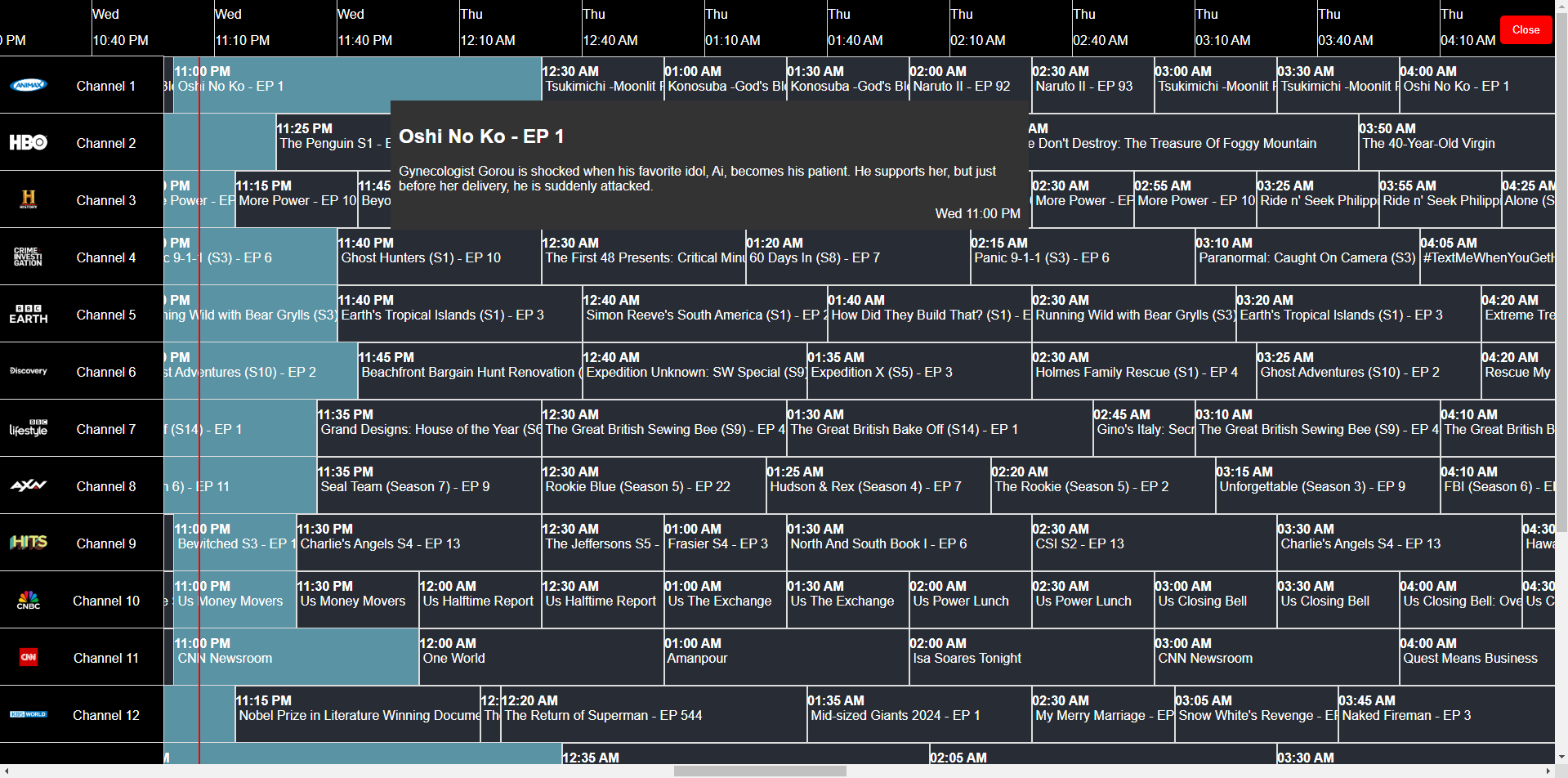
Sample M3U8 playlist format
#EXTM3U url-tvg="https://raw.githubusercontent.com/dbghelp/StarHub-TV-EPG/refs/heads/main/starhub.xml, https://raw.githubusercontent.com/dbghelp/mewatch-EPG/refs/heads/main/mewatch.xml" refresh="3600"

#EXTINF:-1  tvg-id="532" tvg-logo="https://poster.starhubgo.com/Linear_channels2/532_1920x1080_HTV.png?w=272", Channel 1
#KODIPROP:inputstream.adaptive.license_type=clearkey
#KODIPROP:inputstream.adaptive.license_key=302f80dd411e4886bca5bb1f8018a024:15b2aaf906ebec6309d40f91289127b8
https://media.axprod.net/TestVectors/Cmaf/protected_1080p_h264_cbcs/manifest.mpd

#EXTINF:-1  tvg-id="601" tvg-logo="https://poster.starhubgo.com/Linear_channels2/601_1920x1080_HTV.png?w=272", Channel 2
#KODIPROP:inputstream.adaptive.license_type=clearkey
#KODIPROP:inputstream.adaptive.license_key={ "keys":[ { "kty":"oct", "k":"FbKq+Qbr7GMJ1A+RKJEnuA==", "kid":"MC+A3UEeSIa8pbsfgBigJA==" } ], "type":"temporary" }
https://media.axprod.net/TestVectors/Cmaf/protected_1080p_h264_cbcs/manifest.mpd

#EXTINF:-1  tvg-id="401" tvg-logo="https://poster.starhubgo.com/Linear_channels2/401_1920x1080_HTV.png?w=272", Channel 3
#KODIPROP:inputstream.adaptive.license_type=clearkey
#KODIPROP:inputstream.adaptive.license_key={ "keys":[ { "kty":"oct", "k":"FbKq+Qbr7GMJ1A+RKJEnuA==", "kid":"MC+A3UEeSIa8pbsfgBigJA==" } , { "kty":"oct", "k":"FbKq+Qbr7GMJ1A+RKJEnuA==", "kid":"MC+A3UEeSIa8pbsfgBigJA==" } ], "type":"temporary" }
https://media.axprod.net/TestVectors/Cmaf/protected_1080p_h264_cbcs/manifest.mpd
Test out your epg.xml
https://github.com/dbghelp/html-epg-viewer
https://dbghelp.github.io/epg.html?file=<link to epg.xml>
Create your own IPTV web app in 5 minutes
- Download
create_your_own_iptv_webapp.htmlfrom this repository - Open the file in notepad, search for
m3u8Link='https://dbghelp.github.io/playlist.m3u8and replace the hardcoded playlist.m3u8 link to your m3u8 playlist link - Rename the file to what you like
- Find a static html hosting service and upload the html file (or use python -m http.server to host locally)
CORS issue
Here’s a few ways to solve it:
- Try to use incognito mode (may work)
- Find a web browser extension for this
- Use a CORS proxy
- Use other alternative links
Timeshift to watch previously aired TV programmes

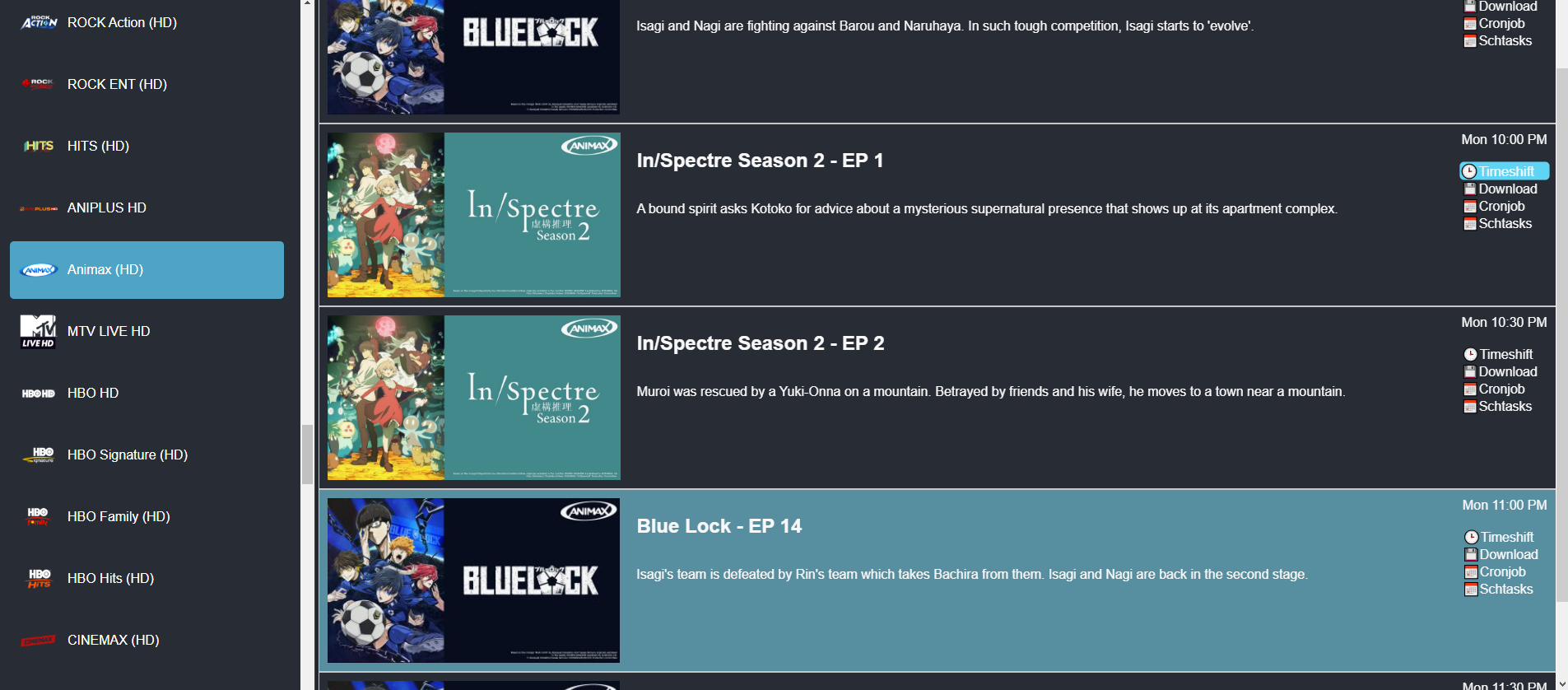
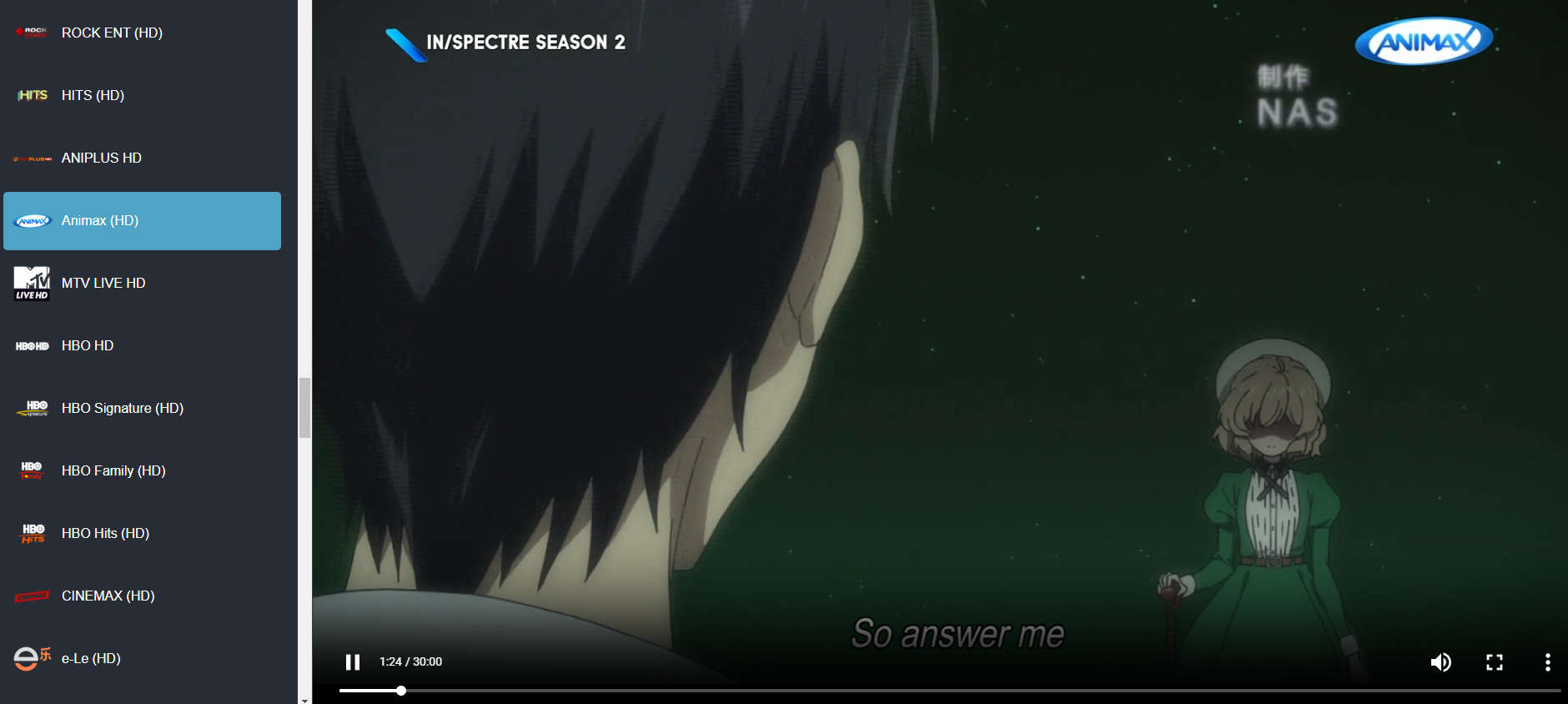
Test out this feature with this playlist: https://dbghelp.github.io/player.html?file=https://dbghelp.github.io/singapore.m3u8
Often, platforms providing livestream feeds for IPTV providers include a timeshift feature by adding additional HTTP parameters. However, this feature is typically not made available to subscribers of the IPTV service. We can access this feature by injecting the correct HTTP parameters ourselves. Usually, a timeshift of at least 6 hours is allowed, and some platforms allow more than 24 hours. Depending on the channel, even with the same IPTV provider, some channels allow a longer timeshift, while others do not allow timeshift at all.
Here are the platforms I have discovered, along with their HTTP parameter formats:
-
Verimatrix
Tested with the following IPTV providers and confirmed that it works: Singtel, Telefónica, TelusMPD URL pattern and example HTTP parameters:
https://example.com/1234/vxfmt=dp/manifest.mpd?xxxx=xxxx&start_time=2024-12-30T15:00:00Z&end_time=2024-12-30T16:00:00Z
-
Broadpeak
Tested with the following IPTV providers and confirmed that it works: Starhub, Magenta TVMPD URL pattern and example HTTP parameters:
https://example.com/bpk-tv/xxxx/output/manifest.mpd?begin=20241230T153000Z&end=20241230T170000Z
-
AWS Media Services
Tested with the following IPTV providers and confirmed that it works: mewatchMPD URL pattern and example HTTP parameters:
https://example.com/out/v1/8928c1140dd354c5be06db78d686eada/manifest.mpd?start=1735574400&end=1735578000
If the mpd url of your channel is not 1, 2 or 3, then this format for guessing is applied:
?start=1735574400&end=1735578000
Download previously aired TV programmes
Ensure that you can timeshift to watch the previously aired TV programme first.
Click on the download button to get the download command:
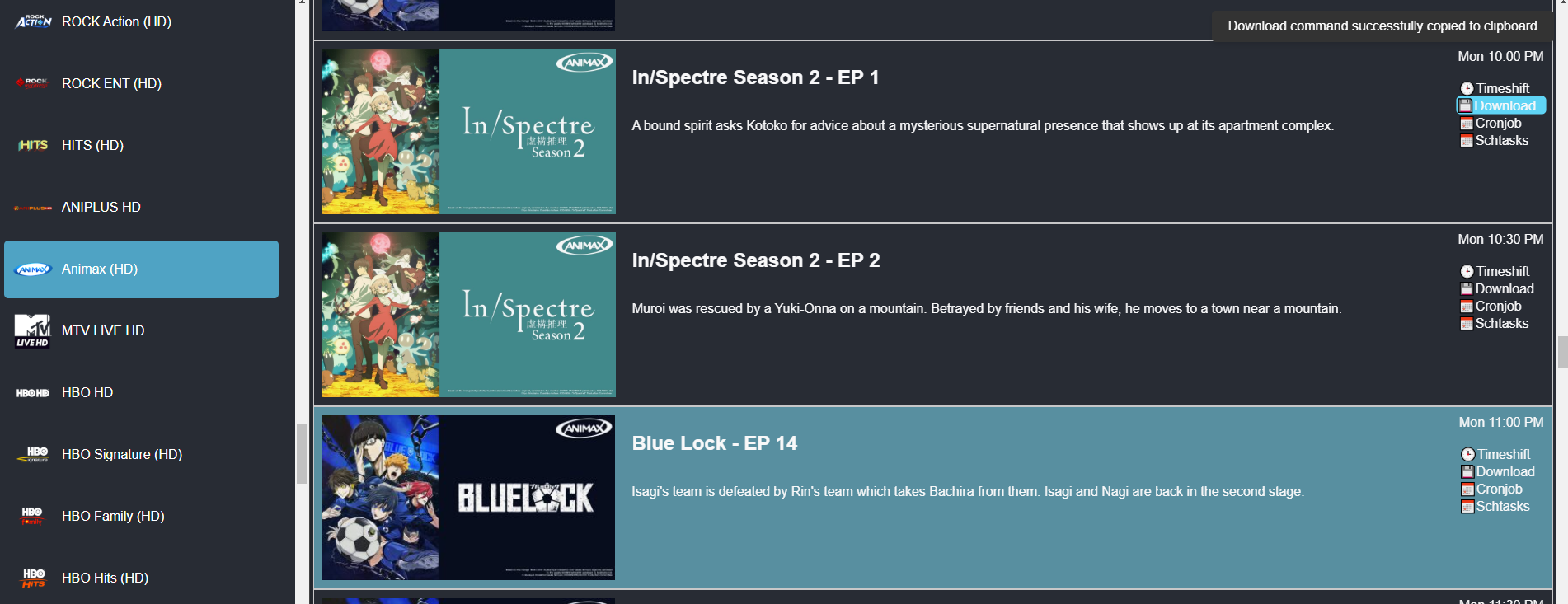
Example download command generated:
` N_m3u8DL-RE –check-segments-count false “https://example.com/manifest.mpd?xxxxxx=xxxxxx&start_time=2024-12-30T14:00:00Z&end_time=2024-12-30T14:30:00Z” -M format=mkv –save-name “InSpectre Season 2 EP 1” –key 00000000000000000000000000000000:00000000000000000000000000000000 `
Download future TV programmes
Click on the cronjob(linux) or schtasks(windows) button to get the cronjob/schtasks command:
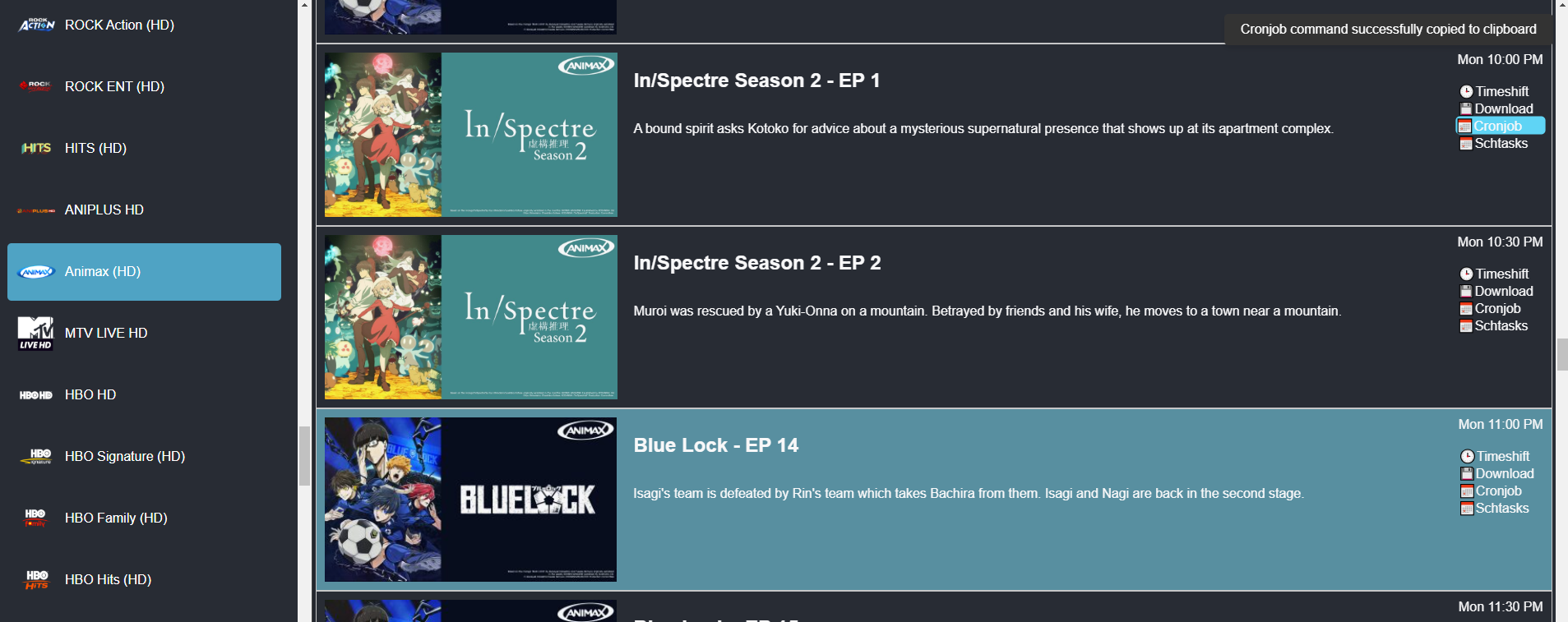
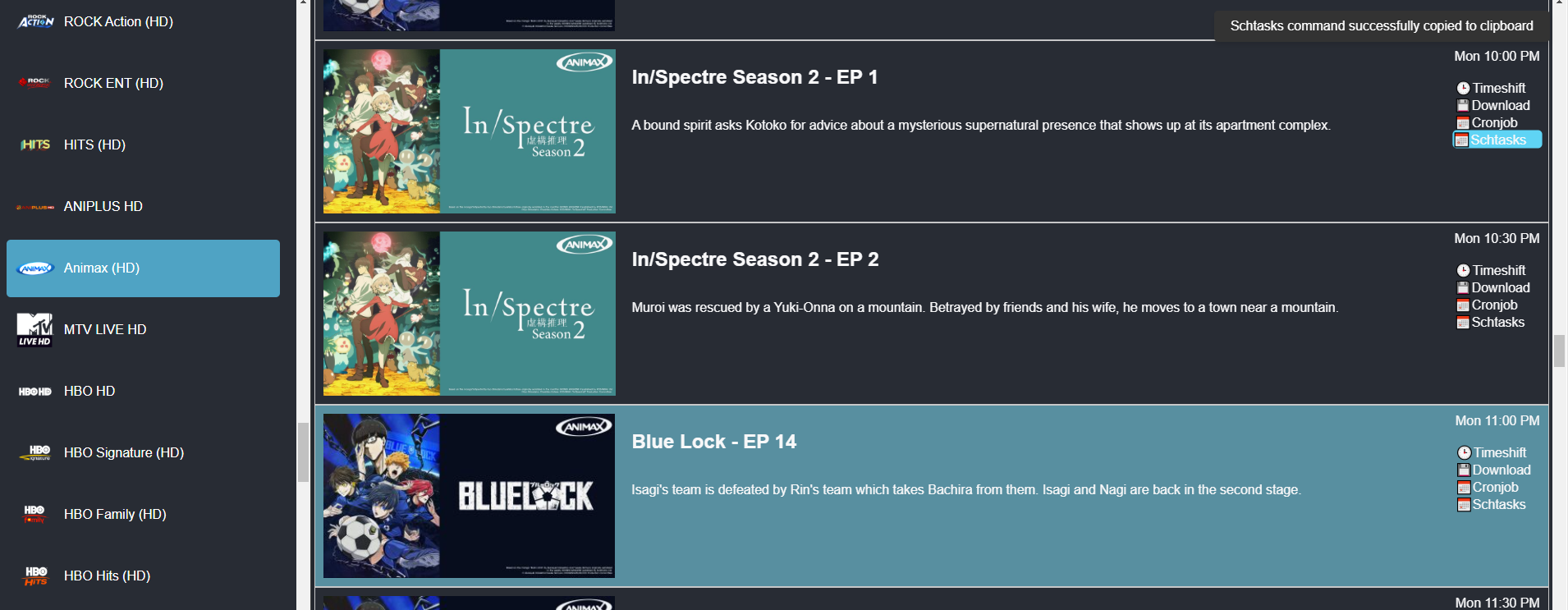
Example cronjob (for linux) command generated:
` echo ‘N_m3u8DL-RE –check-segments-count false “https://example.com/manifest.mpd?xxxxxx=xxxxxx&start_time=2024-12-30T15:00:00Z&end_time=2024-12-30T15:30:00Z” -M format=mkv –save-name “Blue Lock EP 14” –key 00000000000000000000000000000000:00000000000000000000000000000000 -sv best -sa all –save-dir “~/Videos”’ > ~/Videos/download_Blue_Lock__EP_14.sh && chmod +x ~/Videos/download_Blue_Lock__EP_14.sh && (crontab -l 2>/dev/null; echo “35 23 30 12 1 cd ~/Videos && ~/Videos/download_Blue_Lock__EP_14.sh”) | crontab - `
Example schtasks (for windows) command generated:
` echo N_m3u8DL-RE –check-segments-count false “https://example.com/manifest.mpd?xxxxxx=xxxxxx&start_time=2024-12-30T15:00:00Z&end_time=2024-12-30T15:30:00Z” -M format=mkv –save-name “Blue Lock EP 14” –key 00000000000000000000000000000000:00000000000000000000000000000000 -sv best -sa all –save-dir “%USERPROFILE%\Videos” > “%USERPROFILE%\Videos\download_Blue_Lock__EP_14.bat” & schtasks /create /sc once /sd 30/12/2024 /st 23:35 /tn “Download Blue Lock EP 14” /tr “cmd /c cd %USERPROFILE%\Videos & %USERPROFILE%\Videos\download_Blue_Lock__EP_14.bat” `
Setting up N_m3u8DL-RE
1. Download the ZIP File
- Open your web browser and navigate to the following URL:
Download N_m3u8DL-RE.zip - Save the file to your preferred location (e.g., the Downloads folder).
2. Extract the ZIP File
- Locate the downloaded file:
N_m3u8DL-RE_v0.3.0-beta_win-x64_20241203.zip. - Right-click on the ZIP file and select “Extract All”.
- Choose a location for the extracted files (e.g., the Downloads folder) and click Extract.
- After extraction, locate the
N_m3u8DL-RE.exefile in the extracted folder.
3. Create the C:\Tools Folder
- Open File Explorer.
- Navigate to the
C:drive. - Right-click on an empty space in the window and select “New” > “Folder”.
- Name the folder Tools.
4. Move N_m3u8DL-RE.exe to C:\Tools
- Go to the folder where
N_m3u8DL-RE.exewas extracted. - Right-click on
N_m3u8DL-RE.exeand select “Cut”. - Navigate to the
C:\Toolsfolder. - Right-click inside the
C:\Toolsfolder and select “Paste”.
5. Add C:\Tools to the PATH Environment Variable
- Press
Win + Sand search for Environment Variables.
(Alternatively: Open Control Panel > System and Security > System > Click Advanced System Settings > Click Environment Variables.) - In the Environment Variables window:
- Under System Variables, find and select the variable named Path.
- Click the Edit button.
- In the Edit Environment Variable window:
- Click New.
- Enter
C:\Tools.
- Click OK to close all dialog boxes.
6. Verify the Setup
- Open Command Prompt (
Win + R, typecmd, and press Enter). - Type
N_m3u8DL-RE.exeand press Enter. - If the setup is successful, the program should run without errors.